The default source block settings in the spectrometer_w_cal.grc GNURadio program are for the Airspy R2 SDR. If a different SDR is used, changes in the source block and the samp_rate Variable block may be needed. The settings for some common SDR’s used with the horn telescopes are described below.
Options:
-
The Airspy Mini
-
Source block: the
osmocom Sourceblock is used; the “Device Arguments” are the same as for the Airspy R2. So no changes are needed in this block. -
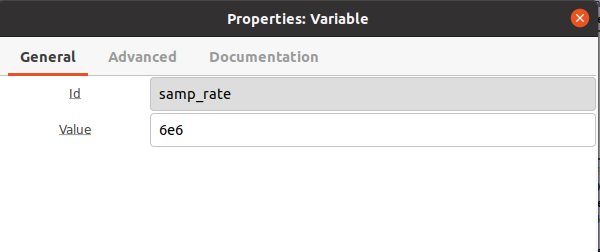
samp_rate Variableblock: This block is in the upper left corner of the canvas in thespectrometer_w_cal.grcprogram next to theOptionsblock. Open this block by double-clicking it. Change the “Value” to “6e6” (which is 6 MHz).
-
-
RTL-SDR
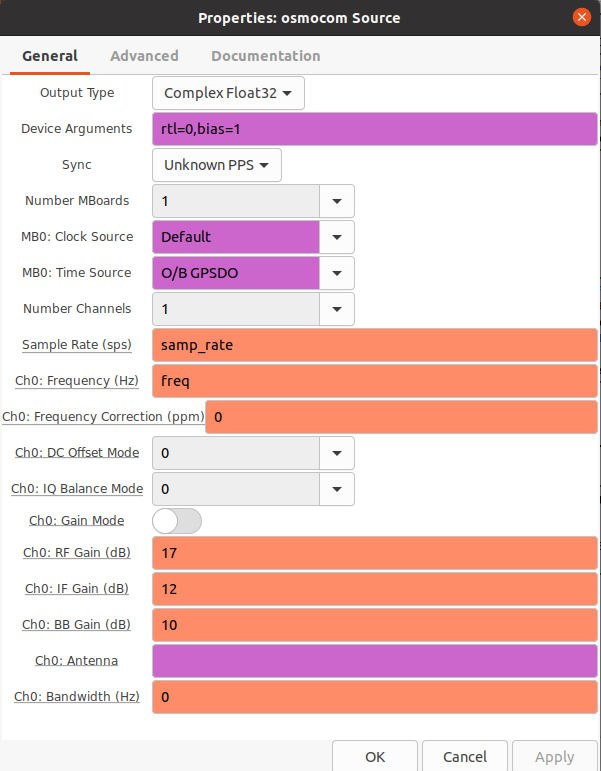
- Source block: Change the “Device Argument” to: rtl=0, bias=1, pack=0, as shown:
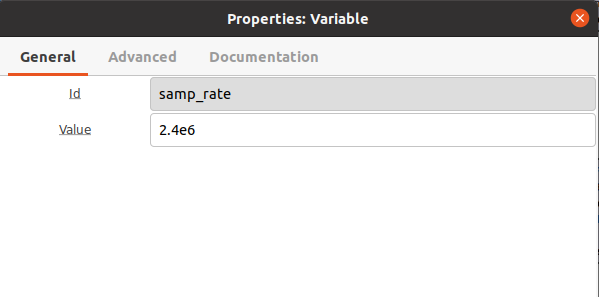
samp_rate Variableblock: This block is in the upper left corner of the canvas in thespectrometer_w_cal.grcprogram next to theOptionsblock. Open this block by double-clicking it. Change the “Value” to “2.4e6” (which is 2.4 MHz).
-
Lime
- Source block: the Lime uses the
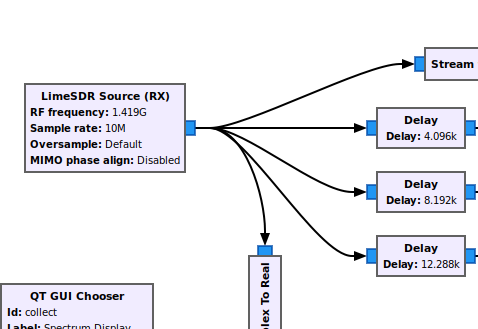
LimeSDR Source (RX)block. Click on theosmocomblock and hit Delete. Then in the search window on the tool bar at the top, type “LimeSDR”. Grab theLimeSDR Source (RX)and drag it onto the canvas where theosmocomblock was. Then one-by-one connect the blue output of theLimeSDR Source (RX)block to theStream to Vectorblock, the threeDelayblocks, and theComplex to Real. The final connections should look like the following:
- Open the
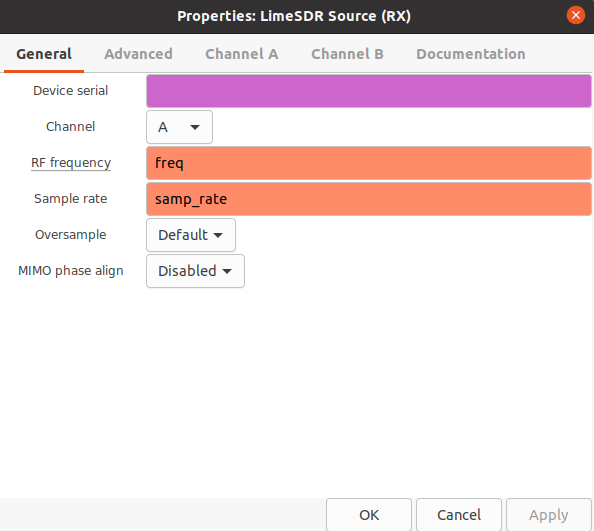
LimeSDR Source (RX)block (by double-clicking) and set the following:- On the “General” tab, set “RF frequency” to “freq” [without the quotes], and check that the “Sample rate” is “samp_rate” [without the quotes]. “Channel” should be on “A” [without the quotes].
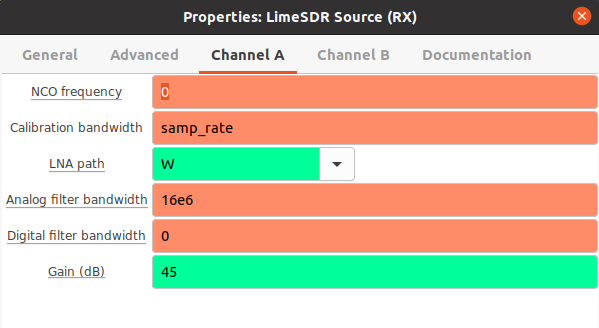
- The settings on the Channel A tab should be as shown:
-
samp_rate Variableblock: The Lime SDR can use a 10 MHz samp_rate; so no change is needed in this block.sta -
Install gr-limesdr - software needed for the Lime SDR block to run in GNURadio.
-
Open a terminal window.
-
Type and enter:
sudo apt install gr-limesdr
-
-
POWER TO THE LNA: The Lime SDR does not power the LNA. Therefore, it is necessary to provide +5 V dc external power to the LNA through a bias-T, which is connected to the LNA and Lime as shown:
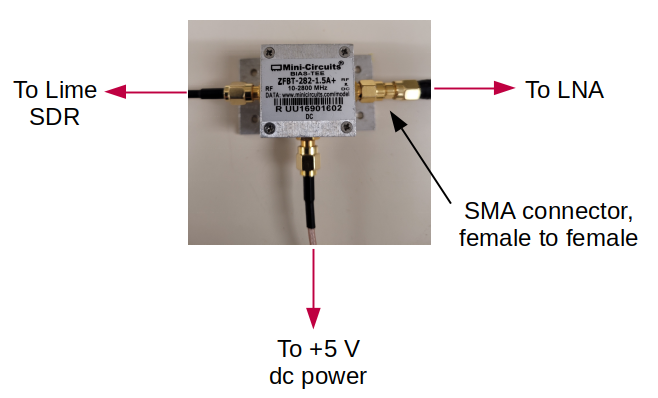
An SMA female to female connector/adapter will be needed for the connection from the bias-T to the LNA cable, as indicated in the diagram above.
- Source block: the Lime uses the
-
ADALM-PLUTO
-
The Adalm-Pluto SDR uses the
PlutoSDRSourceblock that will need to be installed. Complete the steps outlined here to install this block on your computer. -
Source block: the Adalm-Pluto uses the
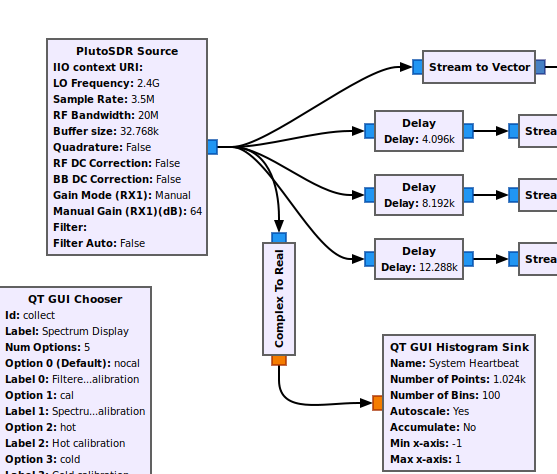
PlutoSDRSourceblock. Click on theosmocomblock and hit Delete. Then in the search window on the tool bar at the top, type “PlutoSDR”. Grab thePlutoSDRSourceand drag it onto the canvas where theosmocomblock was. Then one-by-one connect the blue output of thePlutoSDRSourceblock to theStream to Vectorblock, the threeDelayblocks, and theComplex to Real. The final connections should look like the following:
- Open the
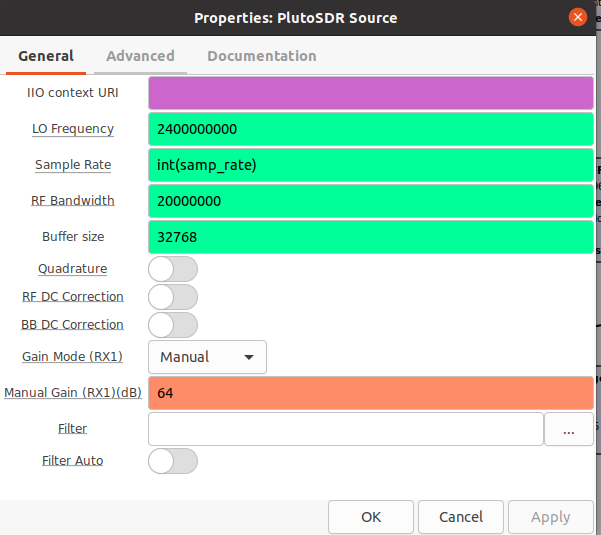
PlutoSDRSourceblock (by double-clicking) and set the following:- On the “General” tab, set the values as shown:
-
The
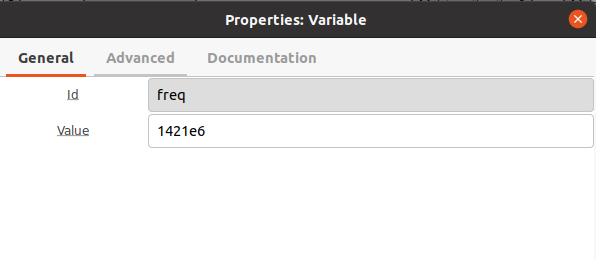
samp_rateandfreqVariable blocks should be set to the values shown: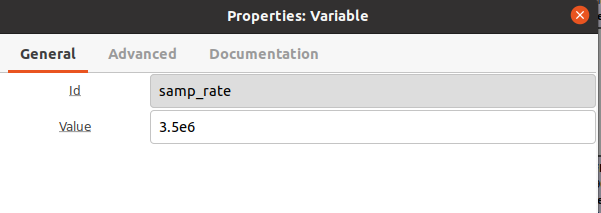
-
POWER TO THE LNA: The Pluto SDR does not power the LNA. Therefore, it is necessary to provide +5 V dc external power to the LNA through a bias-T, which is connected to the LNA and Pluto SDR as shown:
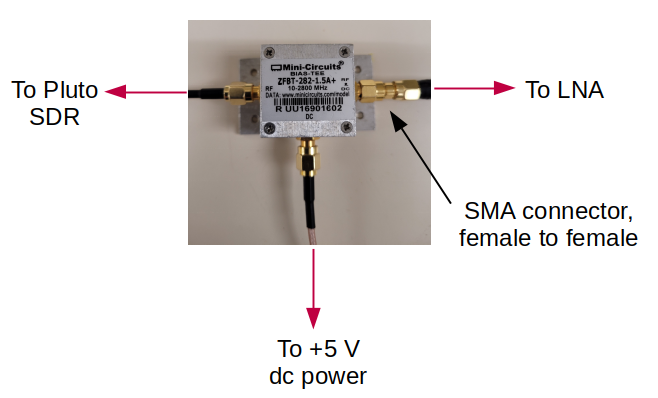
An SMA female to female connector/adapter will be needed for the connection from the bias-T to the LNA cable, as indicated in the diagram above.
-
Cable Hardware: A coaxial cable is needed to connect the LNA to the SDR. Typically a 10 ft length is adequate, but any length up to 25 ft should work fine.